Blog

  • Six things I learned from reading ‘Crossing The Chasm’

    Crossing The Chasm written many years ago is still as relevant today as it was back then. It is a must read for any entrepreneur. It takes you through the journey of a product and the company from early stages of adoption until it achieves mainstream success, highlighting all the challenges one faces and gives you a broad framework to think through these challenges and come up with solutions for them.

    Here are 6 things I learned from this book:

    1. Technology Adoption Cycle

    Crossing the Chasm adapts from the technology adoption lifecycle and includes chasms in between different phases of the adoption. This forms the basis of the book which holds that, particularly for disruptive products, there is a chasm between phases that should not be ignored. Each phase is characterized by different types of customers (Innovators, Early Adopters, Visionaries, Pragmatists, Conservatives and Laggards) and market conditions, requiring completely different approaches to how you position and sell your product. Being aware of which phase your product is currently in will help your focus energies in the right direction.

    2. Be a big fish in a small pond first.

    Geoffrey. A. Moore advocates the idea of being a big fish in a small pond first, before you decide to cross the chasm (scale up);  your main customers at this stage are visionaries. To do that, one must pick a very specific target segment, which can be dominated resulting in a leadership position. If this market segment was chosen carefully, the benefits of holding the leadership position can be leveraged to gain traction in a newer target segment.

    3. Create your competition

    If you position yourself as a company with no competition, you will find no market. Customers (pragmatists), in the mainstream market, look for competitors to validate your product. They also pay importance to your market leadership positions you currently hold in the smaller target segments. Therefore, you must find competitors in your market with whom your product can be compared to, thereby allowing you to articulate clearly the benefits over them, in the minds of the customer. There is always a market alternative to your product, one that is widely used by customers, albeit with different use cases and not solving a specific problem that your product does. Then there is a product alternative, which is a similar disruptive technology alternative that exists either in the same market or another market. By using these two as comparisons, it allows you to create your own competition.

    4. Understand the shift in focus from Product-centric to Market-centric

    In the early phases of the adoption, the customers are more interested in the product and the underlying technologies. These are geeks, early adopters who do not mind spending time reading manuals and trying to figure out how to use your product. They give you great feedback on your product. As you move long the adoption cycle, the buying decisions are motivated more by efficiency, cost effectiveness, reliability and other market factors. Therefore, it requires a gradual, but eventually complete overhaul of how you approach customers, market your product and also develop your product along the way. Restructuring of product development processes, leadership positions, management structures and marketing departments must happen as you move into the mainstream market

    5. Whole Product concept

    The whole product concept addresses the “gap between the marketing promise made to the customer… and the ability of the shipped product to fulfill that promise”. As you move into the mainstream markets, the focus shifts more to the services that you can offer along with your product to provide a complete solution. This requires setting up support and partnering with other companies to fulfill these services. The product takes a backseat in terms of adding new features and attention is shifted towards providing the whole product (generic product + services + plugins etc).

    6. Elevator pitch

    A very useful structure to create, refine and articulate your elevator pitch.

    • For (target customers, beachhead segment only)
    • who are dissatisfied with (the current market alternatives)
    • our product is a (new product category)
    • that provides (key problem-solving capability).
    • Unlike (the product alternative)
    • we have assembled (key whole product features for your specific application).

    Links:

    Good summary of the book: http://bizthoughts.mikelee.org/book-summary-crossing-the-chasm.html

    On Amazon: http://www.amazon.com/Crossing-Chasm-Marketing-Disruptive-Mainstream/dp/0060517123

    The Chasm Has Evolved (Youtube): https://www.youtube.com/watch?v=6LHnFsqpzMM

  • “Timelessness” Of Design

    An excerpt from The Vignelli Canon:

    “We are definitively against any fashion of design and any design fashion. We despise the culture of obsolescence, the culture of waste, the cult of the ephemeral. We detest the demand of temporary solutions, the waste of energies and capital for the sake of novelty.

    We are for a Design that lasts, that responds to people’s needs and to people’s wants. We are for a Design that is committed to a society that demands long lasting values. A society that earns the benefit of commodities and deserves respect and integrity.

    We like the use of primary shapes and primary colors because their formal values are timeless. We like a typography that transcends subjectivity and searches for objective values, a typography that is beyond times – that doesn’t follow trends, that reflects its content in an appropriate manner. We like economy of design because it avoids wasteful exercises, it respects investment and lasts longer. We strive for a Design that is centered on the message rather than visual titillation. We like Design that is clear, simple and enduring. And that is what timelessness means in Design.”

    Source: http://52weeksofux.com/post/832646183/timelessness

  • Customer feedback overdone

    A rare case of customer service and customer feedback being overdone.

    The email I sent to Hyundai customer service (cr@hmil.net):

    I’m writing this email to bring to your notice what I believe is a case of overdoing customer feedback. I understand it is important for dealers/showrooms/service centers and the company to collect feedback from its customers, but there is a fine line between being attentive to customer needs and overdoing it to the point of annoying your customers.

    Let me explain what I’ve experienced in the last few months of owning the car and having it serviced at the above mentioned service center. After the first free service, I was asked to fill out a form at the center; which I did. Soon after, I received a call from Trident Customer Service, asking me about my experience, to which I patiently responded, and gave my rating. The customer feedback process must have ended there after you had managed to collect my feedback, twice. I’m assuming that is plenty of data for one instance. But to my surprise, and eventually, annoyance, I was called repeatedly over the next few weeks and months to ask the same questions over and over again.

    I begin to wonder what is actually being done with the data collected from customers. My understanding is that customer feedback enables a company to collect enough information, process it, and make improvements to their business processes. Instead, what I notice is, data being collected, repeatedly and redundantly. An inefficient and ineffective way to engage with your customers.

    I must also bring to your notice, the few instances where, I have been subtly told to give good ratings when Hyundai calls for feedback. Doesn’t that defeat the whole purpose of customer feedback?

    P.S: I hope I’m not bombarded with multiple calls asking me about this complaint. Just one will do, if you think it’s necessary

    Examples of poor customer service are aplenty. We’ve experienced it first hand, the lines being read to us from a script, the incompetent representative unable to understand your problem and downright rudeness. But the above experience is something I don’t see too often. It’s either a case of an overeager customer relations department or a crack in the customer feedback loop. How does one strike the right balance? You want the customer service to be quick and nimble (Bufferapp is a great example of engaging customers well). But you also don’t want to spam your customers with too many feedback emails, surveys and calls.


  • Rewind post

    I seemed to have made a habit out of this – not updating the blog/website regularly. So here is another lazy attempt to do so, by combining images from my recent trips and photo-walks into one post.


    In October last year (2011), I had a chance to visit the shop floor of an industrial workshop that prints labels and decals for various products.


    Shot at home during last year’s Diwali when I had a few friends over for dinner. Yes, we did burst a few crackers. (Sorry tree-huggers!)


    The New Year was spent on the beaches of Goa. Ahhh…that was good fun!!


    I’ve made quite a few trips to Delhi recently, on work and for attending weddings. Here are a few images from those trips.


    I purchased a Westcott Apollo Softbox recently, and tested it out with a few product shots. Also met up with a couple of photography friends for a strobist session.

    Shots from Abhinav and Veeresh from our strobist meetup.


    Grover Vineyards, located close to Nandi hills, just outside Bangalore, offers a day long tour of their vineyard and wine making facility.

    And…That’s all folks!!

  • Hesaraghatta, Bangalore

    Hesaraghatta, a man-made reservoir, from the pre-independence era, is now unfortunately a dry lake bed. But it still remains an ecological hot spot. Steps to revive have been attempted, but it’s been a lake in decline for many decades, and would require significant investment of resources to bring it back to its former glory. According to its wiki entry, people wind surfed at this lake. I can only imagine how awesome that would have been!


    This was my first photowalk of 2012. And it’s been a while since my last, as is evident from my lack of posts on this site and other photoblogs. There are numerous blogs explaining how to get there, so I won’t go into that. It’s fairly  easy to reach the place, and the roads are pretty good. When we (Sumeet & me) reached there, it was still dark. We waited for a bit for till it became brighter, and took a walk on the tank bund. The fog was dense and it was chilly. Thirty minutes later, the sun was out, but the fog still blanketed the entire area. We drove out towards the grasslands area. It’s picturesque to say the least, even though it was all dry.


    We drove through this area for about an hour. There wasn’t much activity so we headed back towards the lake area. By now, the biting early morning cold had given way to warm sunshine. We went towards the north side of the lake  area and followed the road and paths created by numerous cars and SUVs that frequent the area. The bird activity had now picked up. I had quite a few lifers given that I’m still a noob at this. Here are some of the decent pictures I managed to get.

    Blue-faced Malkoha
    Bay-backed Shrike


    Long-tailed Shrike
    Black Kite
    Oriental Skylark


    Siberian Stonechat
    Ashy-crowned Skylark
    Black Drongo
    Pied Bushchat
    Eurasian Marsh Harrier


    Entire set on Flickr: http://www.flickr.com/photos/teknicsand/sets/72157628983108757/

  • Book Review: Reality Is Broken by Jane McGonigal

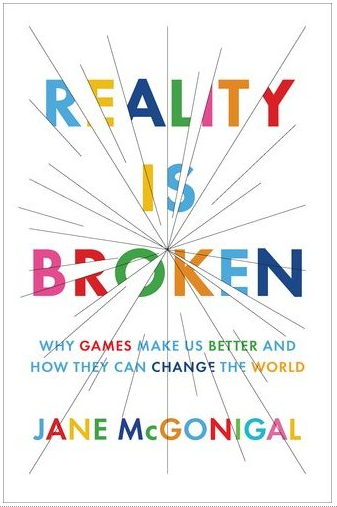
    Reality Is Broken – Why Games Make Us Better And How They Can Change the World is written by Jane McGonigal, a well known game designer. She’s a strong proponent of using games to solve real world problems which is what this book mostly talks about. I first heard about her when I was reading up on Gamification while during our ground work for XPlore. Her TED talk garnered a lot of attention and got me interested in what she had to say. The book is well researched and has plenty of references to positive psychology and games. If you’re a hardcore gamer, a casual gamer or just interested in solving real world problems, then this is a must read.

    Jane talks about the history of games and why they are such a powerful form of recreation and have been played for centuries. To understand the why, you need to look past your biases against video games and games in general. Most of us consider them as “time pass” and not being productive. In fact some even consider them to be harmful, which of course is true for anything done in excess, not just games. Most games have four basic traits – a goal which gives you a specific purpose, rules that set limitations, a feedback system that is real-time and voluntary participation. If you think about it, these four traits can be applied to so many fields – education, work or any task. So what makes games fun and work boring? Voluntary participation perhaps?

    Games can be defined as a voluntary attempt to overcome unnecessary obstacles. You put challenging obstacles in front of you, set rules, and have a specific goal and the whole activity becomes much more interesting to the human mind. Well designed games push you to the edge of your ability and when you’re performing at your peak, a win, or an epic win in gaming terminology, leads to what Jane calls a “fiero” moment (Fiero is an emotional high you feel when you triumph over adversity). Games induce stress, not the kind of stress that weighs you down, but positive stress called ustress (positive emotion). And that’s why, when you fail in games you are motivated to try again as opposed to feeling terribly demotivated when failing in your exam or at work.

    Now combine this with concepts like flow, happiness and intrinsic rewards from positive psychology and you have a powerful combination for motivating people, making boring environments more fun and productive. There are four categories of intrinsic rewards that she talks about in the book. Satisfying work – work that is clearly defined with demanding activities and visible results. It turns out that to be happy at work we actually need activities that challenge us. Less or no work actually makes Jack a dull boy. The craving for success is something we all aspire for and is a strong intrinsic motivator. Social connections we build through sharing experiences contributes to our happiness. And when the work we do or tasks we take part in has a context, a larger meaning, or is part of something bigger, or epic scale in gaming terminology, we feel motivated and happy to be doing it. And this is what games do. Playing games is actually very challenging and demanding and yet we seem to enjoy them.

    Games can be looked at as a form of escapism. To run away from reality. To switch off from the real world and immerse yourself in the virtual world. But there are a new category of games that have emerged called ARGs – Alternate Reality Games. They don’t just exist in the virtual world. They connect the virtual world with real world activities. They combine what we love about games and what we want from our real life. There are many kinds of ARGs as well – Life Management ARG, Organizational ARG, Conceptual ARG, Live ARG and Narrative ARG. ARGs are being used my marketers, educators, and NGOs to create awareness about a product, or create collaboration projects on an epic scale. Check out the following games, some of which were designed by Jane McGonigal, that empowers individuals all over the world to work together and collaborate on real world issues. World Without Oil, Superstruct and Evoke were designed by Jane McGonigal. More information on them can be found on her website.

    The book was an inspiring read for me. Using games to solve real world problems is a great idea. It’s an entirely new way of looking at solving some of the teething problems we face today like poverty, diseases and conservation. If you’re still skeptical about games and gamers, you should read about Foldit. What took scientists and supercomputers ages  to decode, gamers with the help of the Foldit game were able to decode complex protein structures in months.

  • Samsung Galaxy Tab 10.1 Review

    After close to 45 days of non-stop use of the Tab I feel now is a good time to post a review on it.
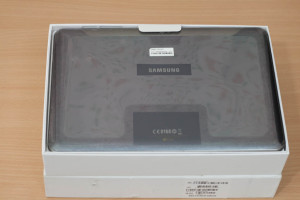
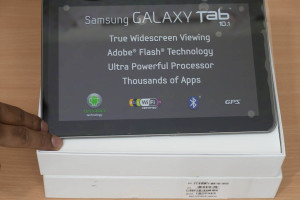
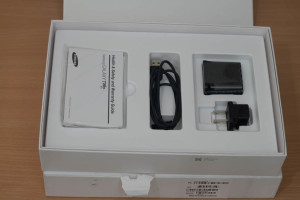
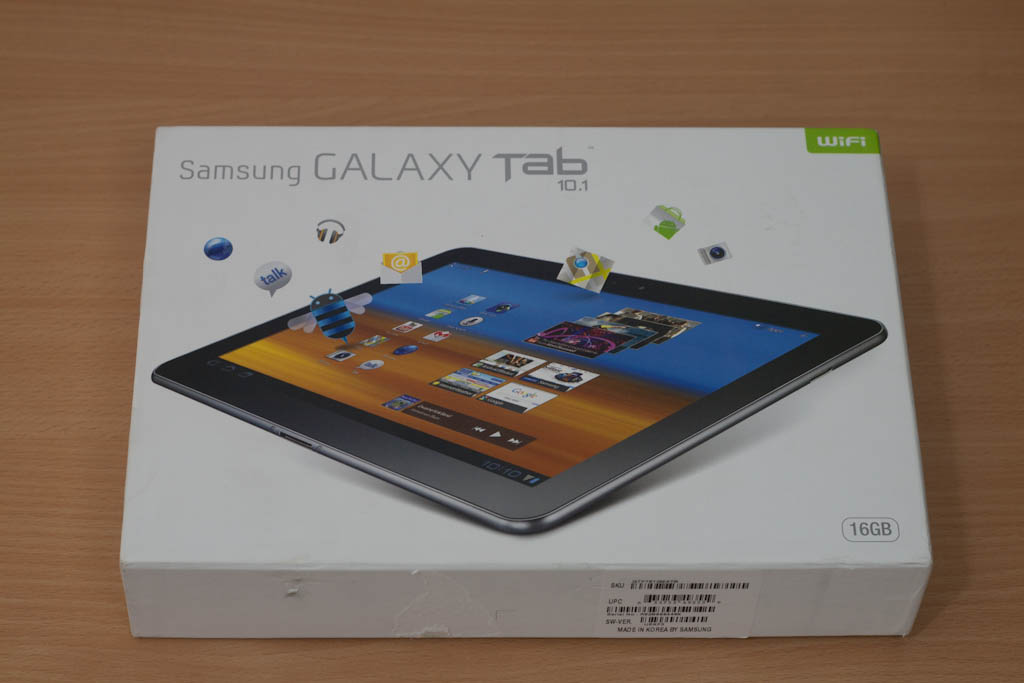
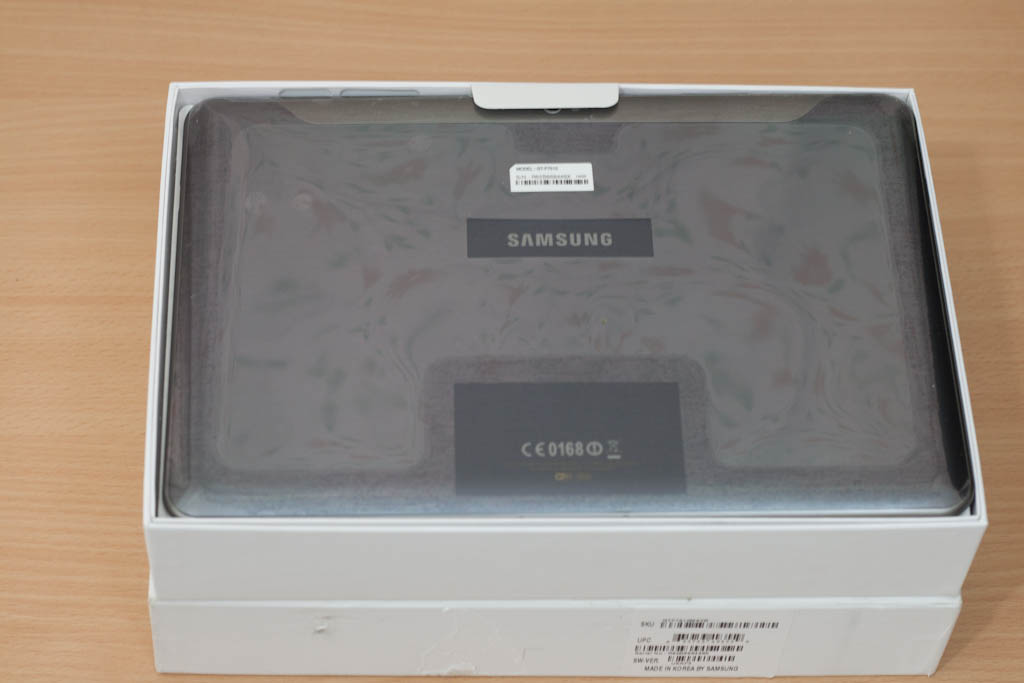
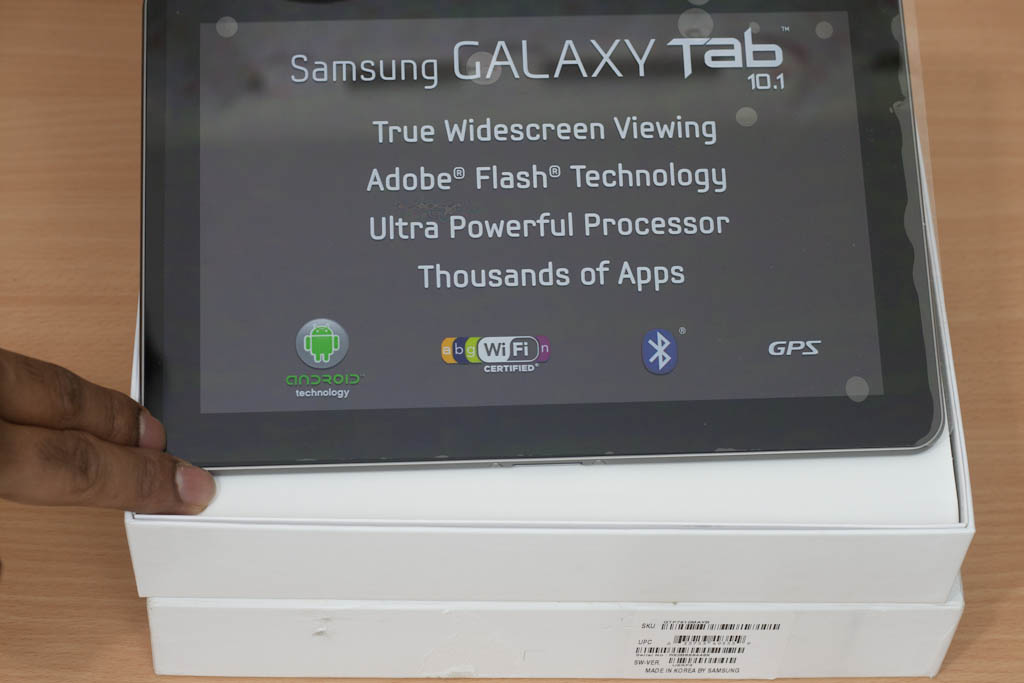
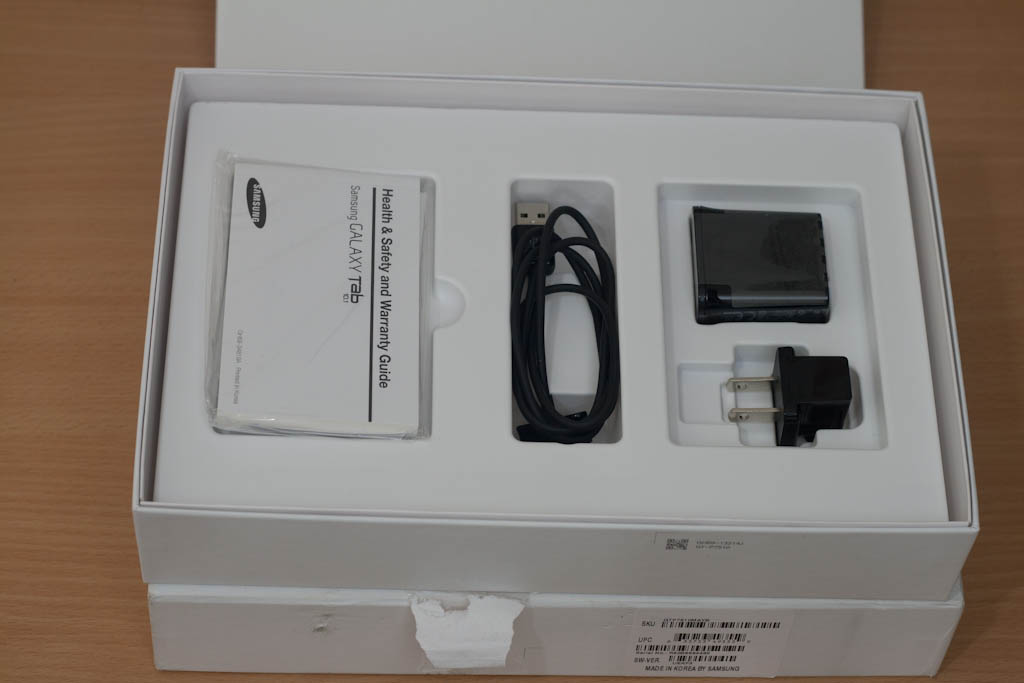
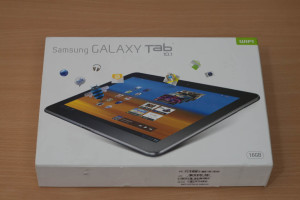
    I asked a friend to pick it up for me from the US. I chose the 16GB Wi-Fi version for $500. It comes neatly packed in a prominently white box (did they copy Apple on this too!!??). Open the box and you’re greeted with a super slim tab that also feels very light in your hands. It comes with a USB charger, earphones and a manual. Peel the screen protector and fire it up and you see a super bright crisp display come to light.


    So why did I buy the Galaxy Tab 10.1 over the iPad2?

    I could argue about the pros and cons of each till the cows come home. End of the day it is a matter of preference. Although I’m a proud owner of other Apple products, I’ve skipped buying into their mobile ecosystem. My biggest gripe with Apple is the absence of true multi-tasking. Yes, I would take that over a slightly lower battery life. Apple is miles ahead in terms of apps but Android has enough to get you started and as with the Android phone apps I’m sure apps for the tablet will increase in about a year’s time. Also I didn’t want to deal with the dreaded iTunes to manage my files on the Tab. I prefer drag and drop. Android gives you a lot more options for customizing your experience which I prefer over Apple’s approach to their UI.

    I bought my first Android device, the Nexus One, almost 2 years ago and have not been disappointed. I waited for almost a year till the tablet version of the Android OS matured from Froyo ports to a dedicated tablet OS, the Honeycomb. Even with Honeycomb there were a slew of devices that came out like the Motorola Xoom and a few others. Having read the reviews and played around with a couple of them at stores, I realized they were not even close to the gold standard – the iPad!! The wait was finally over when I heard of the new Galaxy Tab 10.1 (See the older version of this tab here). On paper, the specs matched the iPad on all fronts. The OS also had matured to a great extent by now. The question was how good was the final product. After reading numerous reviews I came to the conclusion that is was it!! It was sleek, well-designed (even if they copied Apple they did a good job of it), reasonably well priced and had good features.


     What do I like about the Tab?

     Screen:

    A Gorilla glass display that measures 10.1″ approximately with a resolution of 800X1280 pixels, 16 M colors and PLS TFT capacitive touchscreen. Display is crisp, bright and vivid. Superb for watching movies, viewing pictures and also equally good for reading. The form factor is fantastic for watching movies which I would never have imagined. In fact I loved watching movies and TV shows on the Tab more than I have with my 13.3″ Macbook. The reason I believe is because the Tab gives you a more personal and intimate feeling of holding it in your hand and watching it. In portrait mode, reading books on this Tab is a pleasure. I’m almost done with a fairly long read (Reality is broken – Jane McGonigal) entirely on this Tab and my eyes haven’t felt strained one bit. The added benefit of adding highlights and bookmarking is great. The touch screen is pretty responsive and the UI is quite intuitive as well. Of course Apple scores marginally higher on this front for sheer simplicity and super quick responses to touch. But the Tab-Honeycomb combination is probably the best in the Android tablet market right now and you don’t really notice the lag. It definitely doesn’t hamper the user experience. In terms of ease of use of the interface, I feel it’s quite easy. Although people new to the technology world might find the iPad easier to use.


    Multi-tasking:
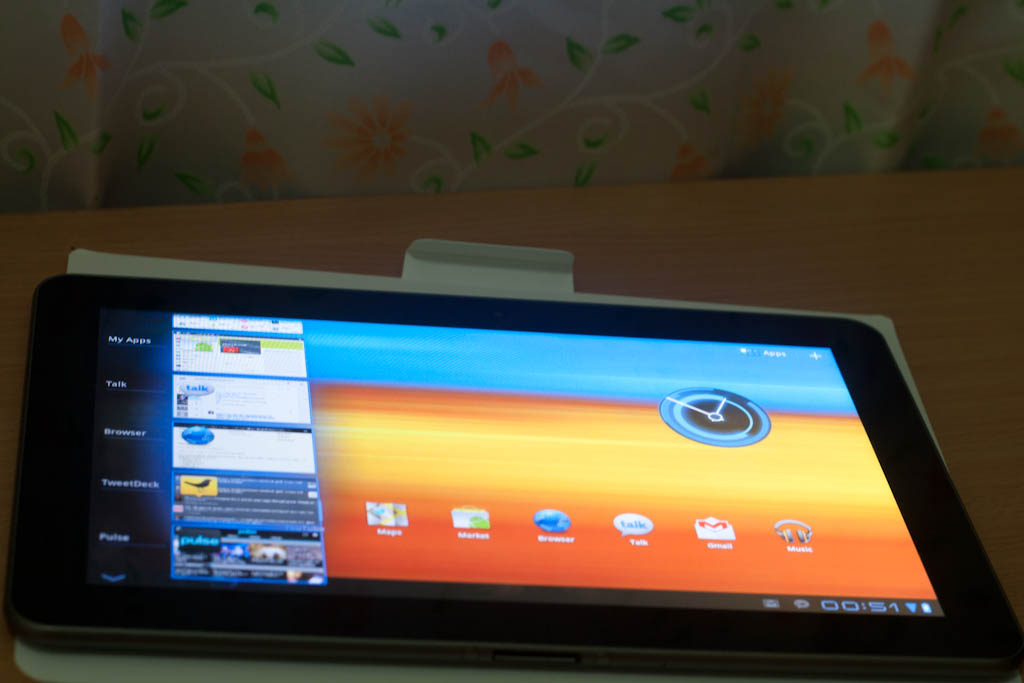
    With a dedicated multi-tasking button, they couldn’t have made it easier than this to switch between apps. Just tap, and you have a panel of windows which you can scroll through on the left, tap on a particular panel and switch to the task immediately. And they all run in the background without bringing your system to a grinding halt. You don’t have to quit any apps. They retain their state, so you can be browsing, have your tweetdeck open, chat with friends on gtalk and be playing games. I’ve had the Tab slowing down to the point it needed a restart only on one or two occasions. So the credit goes to Google for designing a great multi-tasking system that manages the memory efficiently.


    Google’s ecosystem:

    If you’re a heavy Google user you will love the Tab. It brings all your favorite Google apps together beautifully and integrates it seamlessly. Managing your email, contacts, calendar, chats and photos is a breeze. Add to this the ever growing Android Market and the experience only gets better.


    Browsing:

    You get near desktop web browsing experience on the Tab! A very Chrome-like browser with tabs, bookmarks and all that. Websites load quick and they render quite well for the most part. I’m not a big of Adobe Flash but you have the ability to watch flash based videos and surf flash based websites on the Tab, which of course is famously not available on the iPad. If you use Google bookmarks on Chrome and have it synced with your Google account you should be able to access it on the Tab. Although on mine I can’t seem to see the file structure. A bug that I hope Google fixes soon.


    Keyboard:

    Typing on this device is fantastic. The Samsung Keyboard wasn’t so great so I switched to the default Android keyboard. You also have the option of using the Swype keyboard which I’m not a great fan of, but some people seem to love it. The keys are well spaced out and you can use both your hands to type in the landscape mode. I can type almost as fast as I would type on a physical keyboard. You can thumb-type if you hold the the Tab in portrait mode.

    The response to keystrokes is quite fast and there is not much lag so the the typing experience is overall great on this device.


    Widgets:


    This is an Android feature that I love. The ability to create widgets is awesome. I can have a twitter widget for quick access to my timeline or a nice weather widget. But the best widgets on the Tab are the Gmail and Google Calendar widgets. You can scroll through mails and appointments right from the main screen without having to open the app. There are shortcuts to composing a new email or adding events as well. And the UI looks and feels fantastic when you scroll through them.


    My Favorite Apps!!

    ES File Explorer – The Touch Wiz comes with a “file explorer” app but I prefer this one. You can browse files on all the computers connected to your network and also your network storage devices, which is a huge plus for me. I can simply copy and move files between the Tab and my network HDD without having to turn on any computer or plug in any USB cable!! It also comes with a music player and since Android supports Flac audio files I can simply play them directly off my network hdd without a problem. Try doing that on an iPad!! 🙂

    Google Apps – Gmail has been specially redesigned for the Tab and it shows. UI is beautiful and intuitive. Calendar works perfectly as well. Gtalk is fantastic since it makes use of the front facing camera for video calls. I’ve had a few long video calls on the Tab with my brother in the US and it worked flawlessly. No lag, good audio and video quality. I haven’t felt the need to use Skype at all. I need not say much about Google search and how well it is integrated with the system.  And there is always Google Maps!!

    Evernote – Excellent for taking notes. But the reason I use it is because it’s available on Windows, Mac and Android. So it syncs my notes across all my devices.

    aWARemote Pro – I used the free version and then upgraded to the paid since I liked it so much. If you use Winamp for listening to music on your PC and have all your music organized into playlists on it, then use this app. It’s a full featured remote that syncs the entire media library information including album art covers, ratings, equalizer settings and of course all the playlists. Perfect when you’re on the bed or couch and want complete control of your Winamp

    Winamp –  Now I wish this app had all the features of the one above as well but Winamp for Android is still great for transferring music from your PC to the device. It nows supports wireless sync so you don’t need to plug in the Tab to your PC. Tab gets detected on your Winamp running on the desktop and all you need to do is drag playlists or songs from your media library onto the device and the music gets transferred.

    Unified Remote – This is another great app for controlling your PC. It has half a dozen remotes all in one app. Control your PC volume, VLC player, mouse, keyboard and a lot more.

    Pulse – If you’re someone who reads a lot of articles on the internet from various sources then this is a must have. Good replacement for your RSS or Google Reader. UI is great. Reading and browsing through all the content it aggregates for you is wonderful.

    Tweetdeck – I use it on the desktop. Great twitter app specially if you have varied interests and want to keep track of all of them. Just create lists and it makes it so much more easier to follow all of them. Very well designed app.

    RockPlayer Lite – This is where the Tab/Android scores over the iPad/iOS. Supports more formats and most importantly you don’t need iTunes to transfer videos on to the device. This player plays most video formats.

    MultiPicture Live Wallpaper – Neat little app that allows you to use any picture as your wallpaper without cropping it off. It also allows you auto change wallpapers at set intervals or have different wallpapers on different screens.

    I’d love to know what are you’re favorite apps on the Tab!!


    Battery Life:

    I get an entire day and slightly more of regular usage on a full charge. No complaints on this front. It might be a couple of hours less than the iPad but I’m okay with that trade off. It can be charged only via the power adapter though. Tab doesn’t charge from a PC’s USB port unlike my phone. I haven’t checked if it charges from my car USB charger.


     A Few Cons:

    “Oil-slick” issue – Potentially the biggest issue although not everyone might face it. It appears that in their quest to make the device really slim (slimmer than the iPad actually!!) they may have overlooked this issue of what looks like the glass display touching against the LCD beneath it. This could be a deal breaker for some. I was initially horrified to see it, but as time went on I realized it isn’t a deal breaker for me as it does not hinder my use of the device. It is only visible when the device is turned off or viewed from extreme angles. But in your regular usage when the screen is turned on the oil slick (also called Newtons rings) is not visible at all. So my recommendation is if you are buying it from a physical store, check the piece!!

    Lack of accessories – Apple has a small dedicated industry around it making just accessories for all Apple products. Other products don’t have such a luxury. But you will find the basic accessories you need from Samsung itself or from third-party companies. I definitely recommend the Leather book case which doubles up as a stand. There is a  keyboard from Logitech for Android which is worth considering if you have the need for it. Screen has Gorilla Glass which is scratch proof (the same glass used on the iPad2) so you don’t need to buy those screen protectors.

    Back panel is not scratch proof – Although the grey version looks cool with a nice texture to it but is unfortunately not scratch proof like the iPad2. Mine already has a few tiny scratches already despite me being very careful with my handling.

    Touch WIZ UI – Samsung prefers to put its on UI layer on top of the vanilla Honeycomb OS. When I initially started using the Tab I was running plain Honeycomb. After a couple of weeks Samsung pushed an OTA update and the Touch Wiz UI got added on. Now it’s not terrible but neither is it perfect. It felt like the system, specially switching apps, slowed down a bit. It did add some nifty little features though which kind of makes up for it. There’s now a RAM manager, and a dock that pops up from the bottom for quick access to a few apps.

    I have to end this by saying that I would not have bought this device or even thought that a tablet would be of any use if it wasn’t for Steve Jobs. You’ll be amazed how well the 10.1″ form factor is suited for reading and watching content on the device. It definitely surprised me. Thank you, Steve!!
  • Naturalist Training Programme at JLR Bannerghatta Nature Camp

    I’ve always liked nature and wildlife because of the early initiation to it during childhood when we would visit national parks in Karnataka almost every year. But I never bothered to take it forward and get to know more about nature, and the incredible biodiversity you find in such places. Since I developed an interest in photography, I’ve always wanted to shoot wildlife, and I’ve done it a few times, but without really understanding the subjects – flora and fauna.


    So when a opportunity (Naturalist training programme at JLR Bannerghatta Nature Camp conducted by Karthik) presented itself to really learn and understand nature I jumped at it. It was a 3 day Naturalist training programme with 16 of us in the batch. Sumeet and Santosh carpooled with me, and we reached early and waited for the bus to pick us up and drop us at the camp; they do not allow private vehicles to enter the park. After checking into our tents, we had a short orientation/introduction session with Karthik, who then asked us to give ourselves a name of a bird/animal starting with the same letter as our name, and so I was Shark Sandeep (my lack of knowledge on fauna evident here) for the rest of the camp.


    Our first session with Karthik was about the purpose of this training program and a discussion on who is a naturalist and what is his role [Naturalist is someone who studies natural history]. The good thing about all the indoor sessions were that they were never boring and was always interactive with some lively debate among us. I also got a better understanding into what biodiversity meant – it is the variety in genes, species and ecosystems in a specific region. Western Ghats that lies in our neighborhood is one such example, and is one of the top ten biodiversity hotspots in the world.


    The program also gave me my first introduction to bird watching and learning a great deal about birds. It was fascinating to learn about their behaviors, characteristics, and learning how to spot and identify them. What Karthik did so well was to teach us the basics, and trying to instill in us the right approach to bird watching. With a long lens and a fancy camera, we sometimes would be more interested in capturing the bird on camera, rather than watching the bird, its physical shape, feather patterns, its behavior and so on. He made us carry a notepad and a pen on our nature walks. I too was tempted to use the camera first- identify later approach, but from the second nature walk onwards when I decided to change that approach, it was an entirely different experience. Having visited nature hotspots all over Karnataka, so many times, I never bothered to look above or below my eye line, and was only interested in spotting the mega fauna – the tigers and the elephants, the ‘poster boys’ of the jungle, like most of us. What we don’t realize is the abundance of life that thrives high up in the trees and at the ground level. Watching and observing that gave me a whole new perspective and appreciation of the nature around us.


    During the three days I also made some new friends and we had some interesting discussions on a whole lot of things ranging from nature, conservation, education, Bangalore and traveling. Karthik did a great job in teaching us so many things by allowing us to make mistakes and then pointing it out in the field. I look forward to keeping in touch with everyone I met at the camp and hope to meet more such people as I explore this further.


    Here are some books, online groups and movies that came up during our sessions and discussions that you might be interested in:


    Some of the birds & reptiles we spotted and photographed during the 3 days:

    • Red Whiskered Bulbul
    • Swallow
    • Cormorant
    • Pied Kingfisher
    • White breasted Kingfisher
    • Jungle Myna
    • Swift
    • Flameback Woodpecker
    • Paradise Flycatcher
    • Peninsula Rock Agama
    • Indian Silver bill
    • Common Hoopoe
    • White browed wagtail
    • Bay backed Shrike
    • Singing Bushlark
    • Indian Robin
    • Oriental white eye
    • Green bee-eater
    • Small minivet
    • Oriental Honey buzzard
    • Tickell’s blue fly catcher
    • White bellied Drongo
    • Golden fronted leafbird


    More pictures from the camp on my FB page: http://www.facebook.com/media/set/?set=a.10150213174954667.318443.171194069666

    P.S: Better view of the pictures on Flickr: http://www.flickr.com/photos/teknicsand/sets/72157626924324301/


  • Wedding shoot – Asha & Vinay

    After I had shot this wedding, I was asked if I could do another one week and a half later. It was the bride’s brother who was getting married next, and he’d watched me during his sister’s wedding, and liked my approach. I met up with the to be married couple a week before the marriage, showed them some of pictures, and all other details were with regards to the wedding and the shoot were discussed and finalized. I think its a must for anyone shooting a wedding to meet the couple well in advance and get to know them.

    It was a two day shoot. On the eve of the wedding, I was at the bride’s house, to photograph and document a few rituals and traditions, that were unique to girl’s side. (Read Coorgi tradition). Here are some pictures from that evening.

    05-03-2011-19-50-42

    05-03-2011-19-42-27
    Bride wearing the head gear according to Coorgi tradition. Quite similar to how the Kashmiri women wear it.

    05-03-2011-20-27-43
    Bride with henna (mehendi) on her hands

    05-03-2011-18-49-44
    Decorations and lights at the bride’s house

    The next day was the wedding, and here are some pictures from that morning.

    06-03-2011-09-51-13
    Wedding hall before people had arrived

    06-03-2011-10-36-29
    Getting ready

    05-03-2011-D9
    Bride sitting on her father’s lap during a ritual

    05-03-2011-D10
    Culmination of the wedding ceremony with the tying of the knot by the groom.

    For more pictures from the shoot, see here

  • Wedding Shoot – Prathiba & Niranjan

    I did a wedding shoot recently. My second wedding shoot after this. I borrowed another camera from a friend, Chetan Reddy, before the wedding. So I had the 70-200mm F2.8IS on my camera and the wide angle on the other camera. How I wish I had the 24-70L lens. Sigh.

    Weddings are such a dynamic environment, it makes photography quite challenging. And if you have the “official” photographer and videographer with their bad-ass lights blinding everything out, then it makes your job that much more difficult. Also the customs and traditions take place one after the other rapidly, so there is no time to take a breather really…gotta be on your toes. But I enjoyed it.

    Here are some images from the wedding.

    19-02-2011 D8

    20-02-2011-09-42-42

    19-02-2011 D12

    More images here